Adding new attributes to metadata
There may be situations where the metadata does not have a direct attribute you want to visualize or classify with. For instance,
while the GSE_730732 dataset has a shedding attribute, it does not have an attribute for control class; the control class is inferred
from time. In this instance, all samples with time_id <= 0 are considered controls. The generate_attr_from_queries
method can be used to create new attributes using queries, which can then be used for classifciation and visualization.
- Let’s consider the example that we want to visualize the following classes:
Controls (all samples with time_id <= 0)
Shedders in hours 1 to 8 (all samples with time_id > 0 and time_id < 9 and ‘shedding’ = True)
Load the GSE_730732 data, and recall that we fixed the issues in types of various attributes in (refernce create_dataset.rst file)
>>> from orthrus.core.dataset import load_dataset
>>> ds = load_dataset('path/to/gse73072.ds')
Next, we’ll use Pandas.DataFrame.query method to filter the required samples.
>>> controls_query = 'time_id<=0'
>>> #filter metadata DataFrame and check number of samples
>>> print(ds.metadata.query(controls_query).shape)
(272, 11)
We can do the same for the shedders class.
>>> shedders_query = 'time_id> 0 and time_id<=8 and shedding == True'
>>> #filter metadata DataFrame and check number of samples
>>> print(ds.metadata.query(shedders_query).shape)
(116, 11)
Now that we have queries for both the classes, we can use these queries to create a new attribute in the metadata DataFrame. First, we
need to create a dictionary, where the keys are the labels for the attribute and the values are the queries we defined above. Next,
we will use generate_attr_from_queries method to add a new attribute.
>>> qs = {'controls': controls_query, 'shedders': shedders_query}
>>> new_attribute_name = 'Response'
>>> ds.generate_attr_from_queries(new_attribute_name, qs, attr_exist_mode='overwrite')
>>> #let's check the values for the new attribute
>>> print(ds.metadata[new_attribute_name].value_counts())
controls    272
shedders    116
Name: Response, dtype: int64
Finally, we can use this new attribute for visualization using MDS.
>>> from sklearn.manifold import MDS
>>> mds = MDS(n_components=2)
>>> #restrict the samples to the two labels
>>> sample_ids = ds.metadata[new_attribute_name].isin('controls', 'shedders')
>>> ds.visualize(embedding=mds, attr=new_attribute_name, sample_ids=sample_ids)
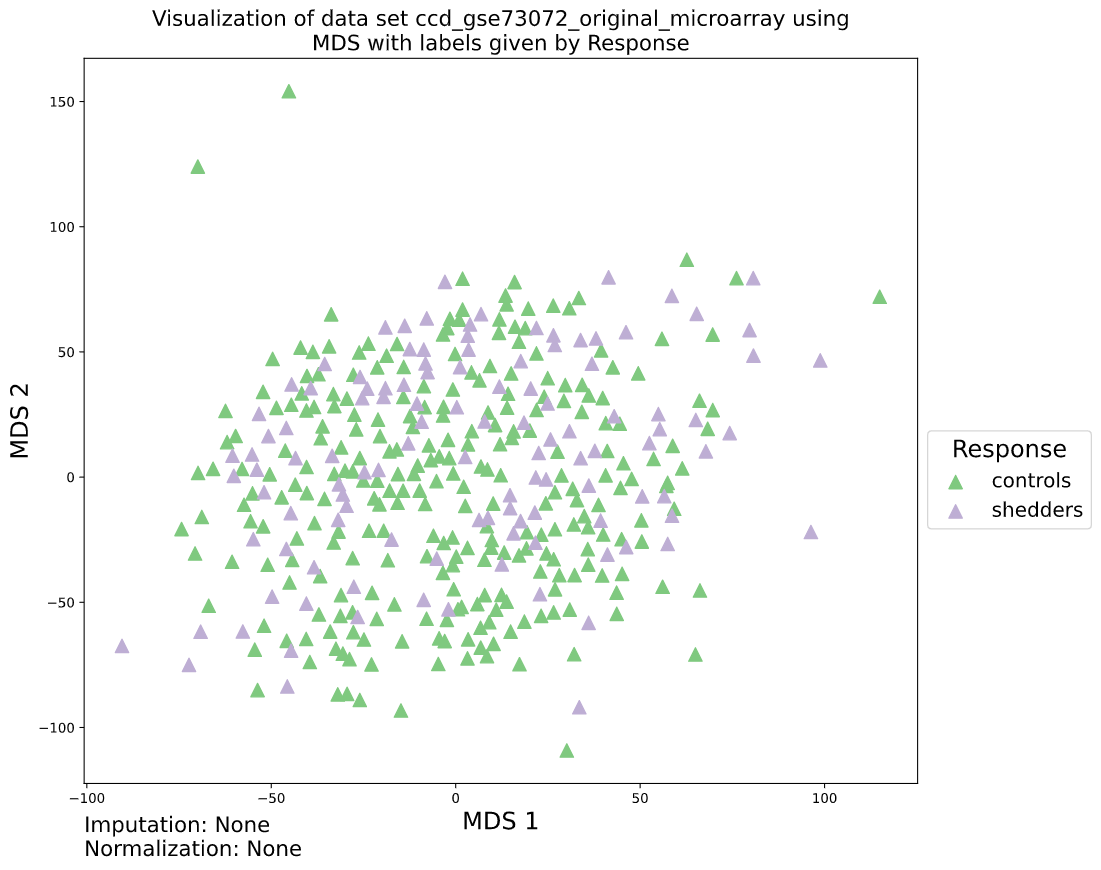
2D MDS embedding of GSE730732 dataset for controls and shedders (hr 1-8)
Remember that the new attribute is available only in this particular DataSet object, and has not yet been stored on disk. To make these changes permanent
store this DataSet object on disk by calling save method.